
Table of Contents
How to Read a Circuit Board: A Complete Step-by-Step Guide for Engineers and Technicians (2026)
This article was originally published in Jul 2024 and last updated on August 26, 2026.
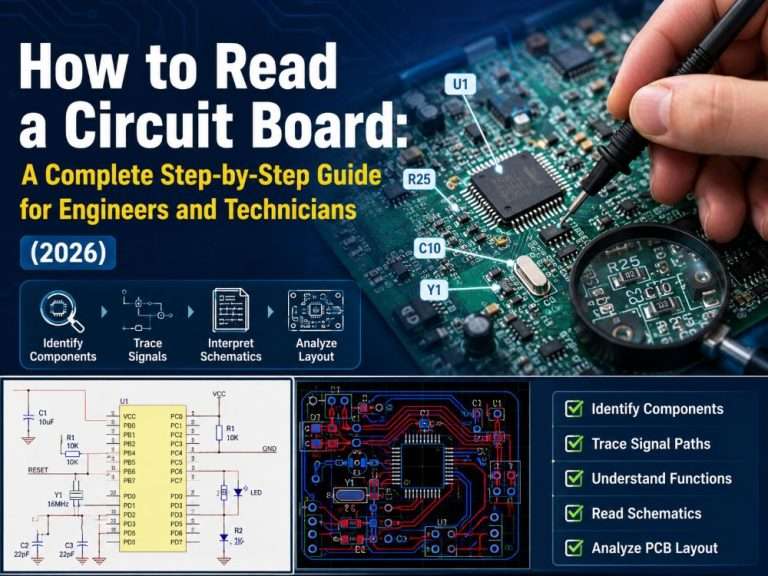
What is a PCBA?
What is a PCB Made of?
PCB Substrates
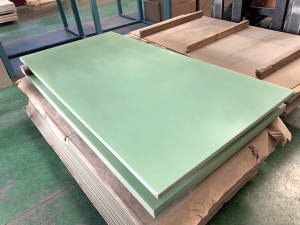
Copper Traces

Pads
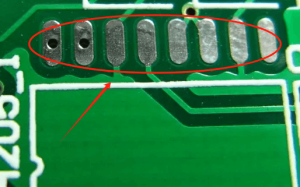
Vias

Silkscreen

Solder Mask

Electronic Components
- Active Components: Components that have the ability to control or amplify electrical signals and need power for operation. This group includes transistors, ICs, microcontrollers, and op-amps.
- Passive Components: Components that lack the ability to control or amplify signals. They include resistors, capacitors, inductors, and transformers.
How to Read a Circuit Board: A Step-by-Step Guide
Reading a Printed Circuit Board and components involves understanding various elements and interpreting the layout, components, and traces to ensure proper functionality and troubleshooting. This step-by-step guide will delve deeper into each aspect, providing detailed instructions for engineers and technicians.

Step 1: Understand the PCB Layout
- Single-layer PCBs have only one layer containing the components and the traces. They are easy but restrictive in nature.
- Double-layer PCBs have traces on both layers and are connected via vias.
- Multilayer PCBs consist of multiple stacked layers, each playing a different role like ground planes, power planes, and signal planes. These offer greater design flexibility for complex circuits.
- Trace width—traces with larger widths usually carry more current
- Trace spacing—sufficient spacing ensures no shorts and crosstalk
- Trace routing—differential pair traces and star routing for reliable voltage distribution
Step 2: Identify Electronic Components
- R = Resistor
- C = Capacitor
- L = Inductor
- D = Diode
- Q = Transistor
- U or IC = Integrated Circuit
- J = Connector
- TP = Test Point
- X = Crystal/Oscillator
- A “+” or “−” marking next to the part
- A band around a diode cathode
- A marked corner or small dot on an IC chip (indicating pin 1)
- A notch on a connector
| Designator | Component | Designator | Component |
|---|---|---|---|
| R | Resistor | U | Integrated Circuit (IC) |
| C | Capacitor | J | Connector |
| L | Inductor | K | Relay |
| D | Diode | M | Motor |
| Q | Transistor | F | Fuse |
| T | Transformer | Y | Crystal Oscillator |
| X | Crystal or Rectifier | P | Connector Pin |
| S | Switch | VR | Variable Resistor (Potentiometer) |
| LED | Light Emitting Diode | B | Battery |
| G | Gate (Logic Gate) | Z | Zener Diode |
| TP | Test Point | E | Emitter |
| H | Heater | N | Node |
Step 3: Understanding the Schematic Diagram
The schematic diagram is the logic design of the circuit, where the physical layout is ignored and the connections between circuit elements are highlighted. Here’s what you should know about reading the schematic diagrams effectively:
- Resistor: Zigzag (IEC standard uses rectangular symbol)
- Capacitor: Two parallel lines (capacitors with polarity have “+” symbol on them)
- Diode: Arrow symbol from triangle towards a straight line (direction from anode to cathode)
- Transistor: Hybrid symbol of lines and circles
- IC: Rectangular symbol with pins numbered
Step 4: Analyze the Physical PCB Layout
- Differential Pairs: Two traces running side by side for fast signal transmission (USB, HDMI, Ethernet).
- Star Routing: Several traces branching out from one common junction (used for distributing power).
- Daisy Chain: Traces connecting components serially.
- Top layer: Components and signal routing
- Inner layers: Power plane, ground plane, more signal layers
- Bottom layer: Components (optional) and signal routing
Step 5: Read the Silkscreen for Assembly and Troubleshooting
- Component Location: Use reference designators to find the required components easily when performing troubleshooting or rework operations.
- Orientation Guides: Look for indications that show the proper orientation of the components—very important for ICs and polarized components.
- Test Points: Find “TP” designators for test points that can be used for probing without damaging the board.
- Revision Information: Take note of the PCB revision number and date—these help track design changes and identify known issues.
Practical Tips for Reading PCB and PCBA
DFM (Design for Manufacturability) Analysis
- Clarity of silkscreen: Is it clear enough? If not, we may experience assembly problems because of unclear polarity marks and reference designators.
- Compatibility of pad-to-component ratio: Are all component footprints compatible with the parts used? Incompatibility results in poor soldering.
- Thermal management: Does the board have enough thermal relief pads for large copper pours?
Cross-referencing BOM with Physical Board
- Component values with the BOM specifications
- Reference designator locations with assembly drawings
- Polarity orientation with design files
Reading AOI and X-Ray Inspection Reports
- Missing or misaligned components
- Polarity errors
- Solder bridges and insufficient solder
- Voiding in BGA (Ball Grid Array) solder joints
IPC Standards Compliance
- Criteria for solder joint quality
- Tolerances for component placement
- Cleanliness criteria
- Mechanical damage acceptability criteria
Common Mistakes and How to Avoid Them
- Neglecting the Component Polarity: It is one of the most common assembly errors, which consists of placing a polarized component in the wrong way. It is crucial to pay attention to cathode markings on diodes, “+” symbols on electrolytic capacitors and Pin 1 markers on ICs.
- Misunderstanding Reference Designators: The letter “L” can easily be mistaken for “R”. Make sure that you have read the right reference designator on the busy silkscreen.
- Mixing Up Vias and Test Points: Vias are plated holes to connect different layers. Test points are created for prodding. Prodding a via will harm its barrel plating.
- Assuming That There Are No Traces Inside: In multi-layered circuit boards, the traces may not be visible from the surface. It is important to remember that traces may travel through other layers.
- Ignoring the Solder Mask: The solder mask may hide fine traces. Use adequate light and magnifier when it is required.
Tools Used for Reading Circuit Boards
- Digital Multi Meter (DMM): Required to measure voltage, current and resistance. The continuity test function is required to check connections and any shorts or opens.
- Magnifying Glass/Microscope: Required to examine smaller components and read small silkscreen labels on the board.
- Oscilloscope: Required to analyze complicated signals and signal integrity checks.
- Lighting: LED lighting at different angles is required to see details not visible under normal light.
- Reference Materials: Always have component data sheets and other documentation nearby. This documentation will give you information not available on the physical board.
Conclusion
FAQs about Reading a Circuit Board
Partner with FS Technology, Get Professional PCBA Service
Related Blogs
Table of Contents Design Rule Checking in PCB Design: From Altium DRC to SMT Assembly Published on September 10, 2024 · Updated on October 22,
Table of Contents Automotive PCB Assembly: The Complete 2026 OEM Guide Failure of a consumer good is a warranty claim. Failure of an automotive printed
Table of Contents Medical PCB Assembly: The Complete Guide for Medical Device OEMs Medical PCB Assembly is not a commodity process. It is a very
Table of Contents Drone PCB Design and Manufacturing: A Complete Guide for UAV Engineers This article was originally published in March 2024 and last updated
Table of Contents Security Camera PCBA Design Guide: Day/Night Switching and Infrared LED Driver Why Security Camera PCBA Design Matters for Day/Night Operation A security
Table of Contents AgTech Case Study: Manufacturing 2,000+ Agricultural Sensor Devices from Prototype to Production Designing an electronic prototype to large-scale production requires more than