
Festplattenplatine: Komponenten, Reparatur und Datenrettung

What is a Hard Disk PCB Board?
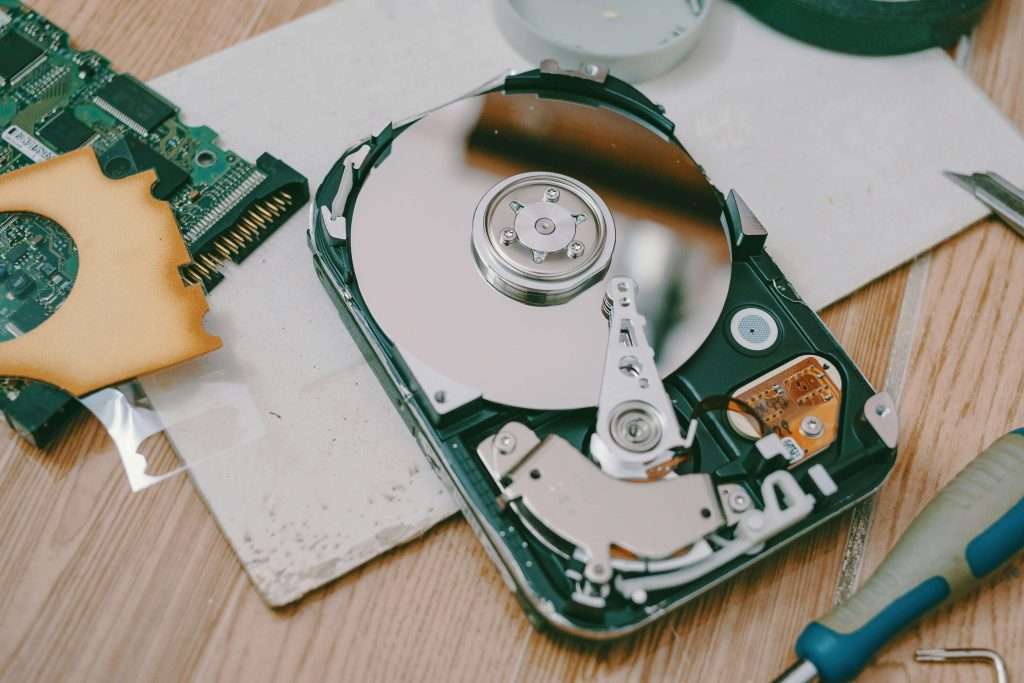
What are the Major Components of Hard Disk PCB Board?
A hard disk PCB contains numerous small parts that help the drive work. Each part plays a special role in power control, data transfer, and drive protection.
Main Controller (MCU)
This is the brain of the PCB. It controls all data movement between the computer and the hard drive. It is that which, without it, the drive cannot function.
ROM/BIOS Chip
This is a small memory chip that contains the firmware. The firmware includes unique instructions that enable the drive to talk with the system.
Motor Controller
It is used to control the spindle motor. It keeps the speed maintained at which the platters are spun inside the hard drive.
Cache-Speicher
This is temporary storage for the most frequently used data. It enhances read and write operations by limiting direct access to the platters.
Power Management Unit
This controls voltage and thus supplies power to various components on the PCB. It also provides protection against power surges.
Interface Connector
This is the place where the PCB connects with the computer. It allows data to move across the HDD to the system.
TVS Diodes
These are small components that save the PCB from electrical surges. If more voltage than what is required comes in, they absorb the excess power to prevent damage.
Oscillator Crystal
This is used to maintain timing accuracy; hence, it sees to it that data transfers are done at the right speed and frequency.
Repair vs. Replacement: What Should You Do?
Repair
Replacement

Data Recovery from a Failed PCB
When it does, a hard disk PCB failure can render the drive dead and the data inside it inaccessible. Fortunately, in most such cases of failure, data recovery is possible, depending on the type of damage. There are two major approaches: PCB replacement or professional data recovery service.
Replacing the PCB
Normally, exchanging the board reinstates provided the hard drive is otherwise in good working order. However, the board that replaces it needs to be an exact match for model and firmware version. Most drives have unique firmware stored in a small ROM chip on (or sometimes inside) the PCB. Normally swapping the PCB would not work unless this chip is transferred to the new board. Experienced technicians reposition the ROM chip using soldering tools so that the new PCB can work with the original drive.
Professional Data Recovery Services
In the case that the replacement of the PCB doesn’t work, or if the ROM chip is damaged, then that may call for professional data recovery. Professionals have their specialized tools for extraction and restoration. They may repair the PCB, extract firmware, or directly read data from the drive platters. This is quite expensive but needed in case of the recovery of crucial data.
When to Seek Professional Help
- Whether the hard drive is producing clicking or beeping sounds.
- Damaged or missing ROM chip
- If, even after replacing the PCB, the data is still inaccessible.
Data recovery can be done where appropriate equipment and expertise are matched. Replacing the PCB on your own or taking a professional route the faster it’s done, the better to retrieve your files.
How to Prevent PCB Failures?
Use a Surge Protector
Keep the Hard Drive Cool
Handle with Care
Avoid Liquid Exposure
Regularly Inspect and Maintain
Fazit
FAQs
Q1: Is it safe to swap PCBs between identical hard drives?
A1: Swapping PCBs between identical drives can work, but it’s not always guaranteed due to firmware differences. Always ensure the replacement PCB is an exact match.
Q2: Will replacing the PCB recover my data?
A2: Sollte die Leiterplatte (PCB) be the only issue, replacement can probably restore access to the retained data. However, should the drive be suffering from additional problems, including faulty platters or faulty read/write heads, professional data retrieval experts should be hired.
Q3: How much does it cost to replace a Hard Disk PCB?
A3: The expense varies with respect to the drive model in question and where the PCB is being purchased. It is mostly between $20 to $100. Additionally, specialist fixing services can have increased prices.
Q4: What precautions should I take when handling a Hard Disk PCB?
A4:
- Employ an anti-statistic wrist strap to reduce static discharging potential.
- Conduct work on an anti-statistic ground floor.
- Avoid touching the PCB’s components directly.
- Handle the PCB gently to avoid physical damage.
Angebot einholen
Verwandte Blogs
Table of Contents Design Rule Checking in PCB Design: From Altium DRC to SMT Assembly Published on September 10, 2024 · Updated on October 22,
Table of Contents Automotive PCB Assembly: The Complete 2026 OEM Guide Failure of a consumer good is a warranty claim. Failure of an automotive printed
Table of Contents Medical PCB Assembly: The Complete Guide for Medical Device OEMs Medical PCB Assembly is not a commodity process. It is a very
Table of Contents Drone PCB Design and Manufacturing: A Complete Guide for UAV Engineers This article was originally published in March 2024 and last updated
Table of Contents Security Camera PCBA Design Guide: Day/Night Switching and Infrared LED Driver Why Security Camera PCBA Design Matters for Day/Night Operation A security
Table of Contents AgTech Case Study: Manufacturing 2,000+ Agricultural Sensor Devices from Prototype to Production Designing an electronic prototype to large-scale production requires more than